Showing posts with label Internet Explorer. Show all posts

Monday, September 6, 2010

Internet Explorer 8 8.0.6001.18702 Finalدانلود برنامه ی


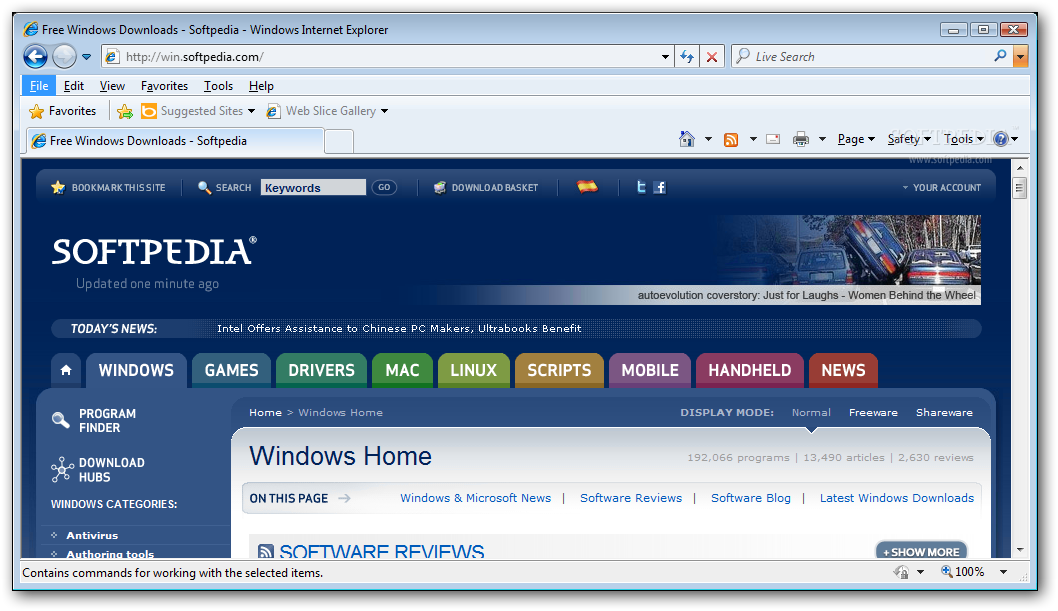
Making your web even better...Faster, Easier, Safer

Don't forget to check out the new Internet Explorer 8 Softpedia Edition with added features such as preinstalled search providers with Visual Search and Suggestions, accelerator and web slices!

Internet Explorer 8 provides a web browsing experience you will enjoy.

View any site with ease
Now you can quickly display websites that were designed for older browsers. Simply press the new Compatibility View button if you see display problems on a website like misaligned text, images, or text boxes. It's located next to the Refresh button on the Address Bar.

Visualize your search
Search smarter with detailed suggestions from your favorite search providers and browsing history. Let the Instant Search Box do the thinking for you as instantaneous image and text suggestions appear as you type.

Keep up with what matters most with Web Slices
Add a Web Slice and you won't have to go back to the same website again and again for updates on news, stock quotes, online auctions, weather, or even sports scores—now those updates will come to you. The new Web Slice feature provides up-to-the-minute information on the sites you care about most in one convenient place on the new Favorites bar.

Get things done faster with Accelerators
View driving directions, translate words, email your discoveries on the web to others, and more in just a few mouse clicks. Complete your everyday browsing activities more quickly with the new Accelerator feature.

Stay more secureThe new SmartScreen Filter lets you browse and email more safely by helping to protect against deceptive and malicious websites which can compromise your data, privacy, and identity.

Browse with more privacy
Surf the web without saving your history, shop for that special gift with confidence knowing your family won't accidentally find out, or use a shared computer without leaving a trace. Help protect your privacy with new InPrivate Browsing and InPrivate Filtering features.

Softpedia Secure Download (US) [EXE]


Internet Explorer 7 FINAL 7.0.5730.13دانلود برنامه ی


The world's most popular web browser is better and safer than ever, which you will see in just a few clicks

Note: The current and recommended IE version is Internet Explorer 8.


Internet Explorer 7 is a useful program that includes advancements in security and browsing experience for end users, functionality and compatibility for developers, and manageability for corporate network administrators.


Here are some key features of "Internet Explorer 7":


ActiveX Opt-in

· Disables nearly all pre-installed ActiveX controls to prevent potentially vulnerable controls from being exposed to attack. You can easily enable or disable ActiveX controls as needed through the Information Bar and the Add-on Manager.


Simplified User Experience

· The Internet Explorer 7 frame is reorganized to make it noticeably simpler, more streamlined, and less cluttered with unnecessary items. This maximizes the area of the screen devoted to the webpages that you want to see and makes performing the most common browsing tasks easy.


CSS Improvements

· Addresses many of the major inconsistencies that can cause web developers problems when producing visually rich, interactive webpages. Improved support for CSS2.1, including selectors and fixed positioning, allow web developers to create more powerful effects without the use of script.


Security Status Bar

· Enhances awareness of website security and privacy settings by displaying color-coded notifications next to the address bar. Internet Explorer 7 changes the Address Bar green for websites bearing new High Assurance certificates, indicating the site owner has completed extensive identity verification checks. Phishing Filter notifications, certificate names, and the gold padlock icon are now also adjacent to the address bar for better visibility. Certificate and privacy detail information can easily be displayed with a single click on the Security Status Bar.


Advanced Printing

· Automatically scales a printed webpage so that it's not wider than the paper it will be printed on. Internet Explorer 7 also includes a multi-page print preview with live margins, resizing text to avoid document clipping, and an option to print only selected text.


Application Compatibility Toolkit

· An application compatibility kit will be available for Internet Explorer 7, allowing IT pros and developers to understand any incompatibilities with their existing websites, applications, and deployments.


Phishing Filter

· Proactively warns and helps protect you against potential or known fraudulent sites and blocks the site if appropriate. The opt-in filter is updated several times per hour using the latest security information from Microsoft and several industry partners about fraudulent websites.


Toolbar Search Box

· Web searches using your favorite search provider can now be entered into a search box within the toolbar, eliminating the clutter of separate toolbars. You can easily choose a provider from the dropdown list or add more providers.


Alpha Channel in PNG

· Supports transparency within the PNG image format, resulting in better-looking websites that are simpler to build.


Cross-Domain Barriers

· Limits script on webpages from interacting with content from other domains or windows. This enhanced safeguard will further protect against malware by limiting the potential for malicious websites to manipulate flaws in other websites or cause you to download undesired content or software.


Favorites Center

· Offers easy and fast access to Favorites, Tab Groups, Browsing History, and RSS Feed subscriptions. Expands out when needed, and can be pinned in place for even easier access.


Group Policy Improvements

· Provides support for all aspects of Internet Explorer settings through Group Policy, greatly easing management across an enterprise.


Delete Browsing History

· Allows you to clean up cached pages, passwords, form data, cookies, and history, all from a single window.


RSS Feeds

· Automatically detects RSS feeds on sites by illuminating an icon on the toolbar. A single click on the icon allows you to preview and optionally subscribe to the site's RSS feed, and then be automatically notified as content is updated. Read RSS feeds directly in the browser, scan for important stories, and filter your view with search terms or site-specific categories.


Internet Explorer Administration Kit

· OEMs and deployment specialists can pre-package Internet Explorer with customized settings or additional programs for their users.


Address Bar Protection

· Every window, regardless of whether it's a pop-up or standard window, will present an address bar to the user, helping to block malicious sites from emulating trusted sites.


Tabbed Browsing

· View multiple sites in a single browser window. Easily switch from one site to another through tabs at the top of the browser frame.


Improved AJAX Support

· Improves the implementation of the XMLHTTP Request as a native Javascript object for rich AJAX-style applications. While Internet Explorer 6 handled XMLHTTP requests with an ActiveX control, Internet Explorer 7 exposes XMLHTTP natively. This improves syntactical compatibility across different browsers and allows clients to configure and customize a security policy of their choice without compromising key AJAX scenarios.


International Domain Name Anti-spoofing

· In addition to adding support for International Domain Names in URLs, Internet Explorer also notifies you when visually similar characters in the URL are not expressed in the same language, thus protecting you against sites that could otherwise appear as known, trustworthy sites.


Quick Tabs

· Provides easy tab selection and navigation by displaying thumbnails of all open tabs in a single window.


Open Search Extensions

· In conjunction with Amazon.com, a set of RSS Simple List Extensions were submitted to the RSS community, and released under the Creative Commons license. Among other features, these extensions greatly simplify development of applications that interact with Open Search-compatible search providers.


URL Handling Security

· Redesigned URL parsing ensures consistent processing and minimizes possible exploits. The new URL handler helps centralize critical data parsing and increases data consistency throughout the application.


Tab Groups

· Tabs can be grouped and saved into logical categories, allowing you to open multiple tabs with a single click. A Tab Group can easily be set as the Home Page Group so the entire Tab Group opens every time Internet Explorer is launched from the Start menu.


RSS Platform

· Provides rich functionality for downloading, storing, and accessing RSS feeds across the entire operating system, and enables more users than ever before to embrace RSS. Once a feed is subscribed to in one application, that subscription, and all the associated content, will be made available across the operating system for any application that wishes to consume it.


Fix My Settings

· To keep you protected from browsing with unsafe settings, Internet Explorer 7 warns you with an Information Bar when current security settings may put you at risk. Within the Internet Control Panel, you will see certain critical items highlighted in red when they are unsafely configured. In addition to dialog alerts warning you about unsafe settings, you will be reminded by the Information Bar as long as the settings remain unsafe. You can instantly reset Internet security settings to the 'Medium-High' default level by clicking the 'Fix My Settings' option in the Information Bar.


Page Zoom

· Enlarge or zoom in on individual webpages, including both text and graphics, to either focus on specific content or to make content more accessible to those with vision limitations.


Add-ons Disabled Mode

· To help troubleshoot difficulties launching Internet Explorer or reaching specific websites, you have the ability to start in "No Add-ons" mode, where only critical system Add-ons are enabled.


Requirements:


Computer/Processor

· Computer with a 233MHz processor or higher (Pentium processor recommended)


Operating System

· Windows XP Service Pack 2 (SP2), Windows XP Service Pack 3 (SP3), Windows XP Professional x64 Edition, or Windows Server 2003 Service Pack 1 (SP1)


Memory

· Windows XP Service Pack 2 (SP2) - 64 MB

· Windows XP Service Pack 3 (SP3) - 64 MB

· Windows XP Professional x64 Edition - 128 MB

· Windows Server 2003 Service Pack 1 (SP1) - 64 MB

· Windows Server 2003 Service Pack 1 ia64 - 128 MB


Drive

· CD-ROM drive (if installation is done from a CD-ROM)


Display

· Super VGA (800 x 600) or higher-resolution monitor with 256 colors


Peripherals

· Modem or Internet connection; Microsoft Mouse, Microsoft IntelliMouse, or compatible pointing device

Softpedia Mirror (US) - XP with SP2/SP3 [EXE]